Free scan
€0
One complete scan
- Try the complete scan workflow
- Critical vulnerability results
- Explore results in CYBERVOC
Find vulnerabilities in your repositories and running web apps.
Understand what matters. Take the next step toward a fix.
1 complete scan free. Critical vulnerability results included.
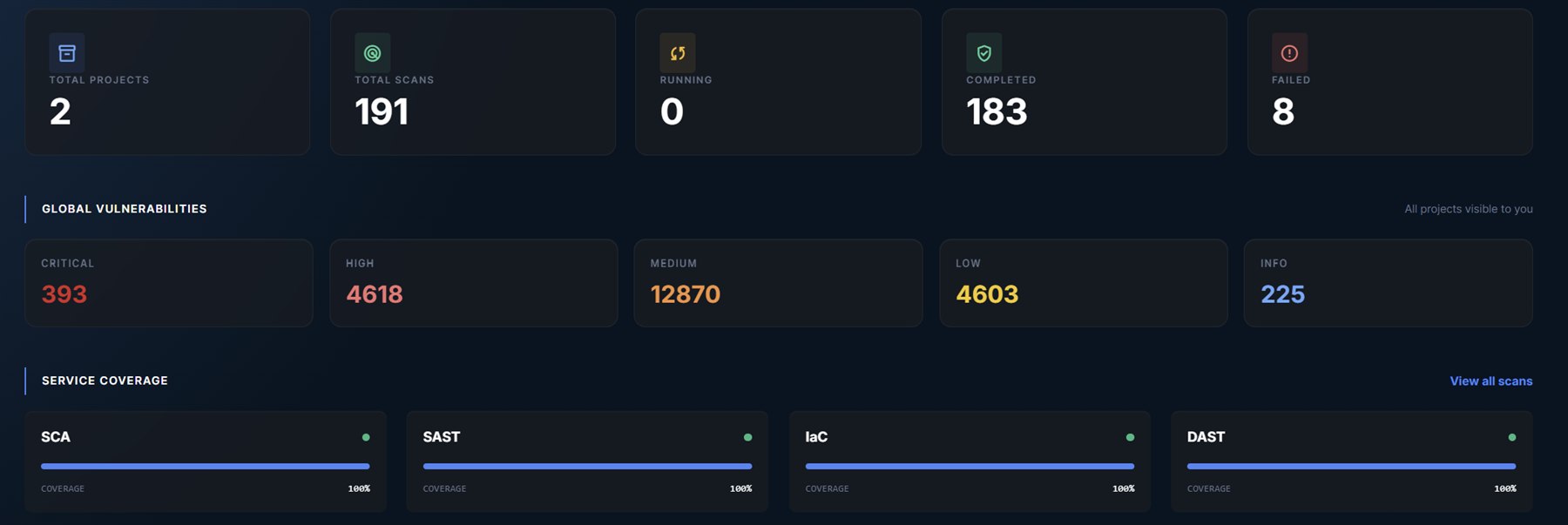
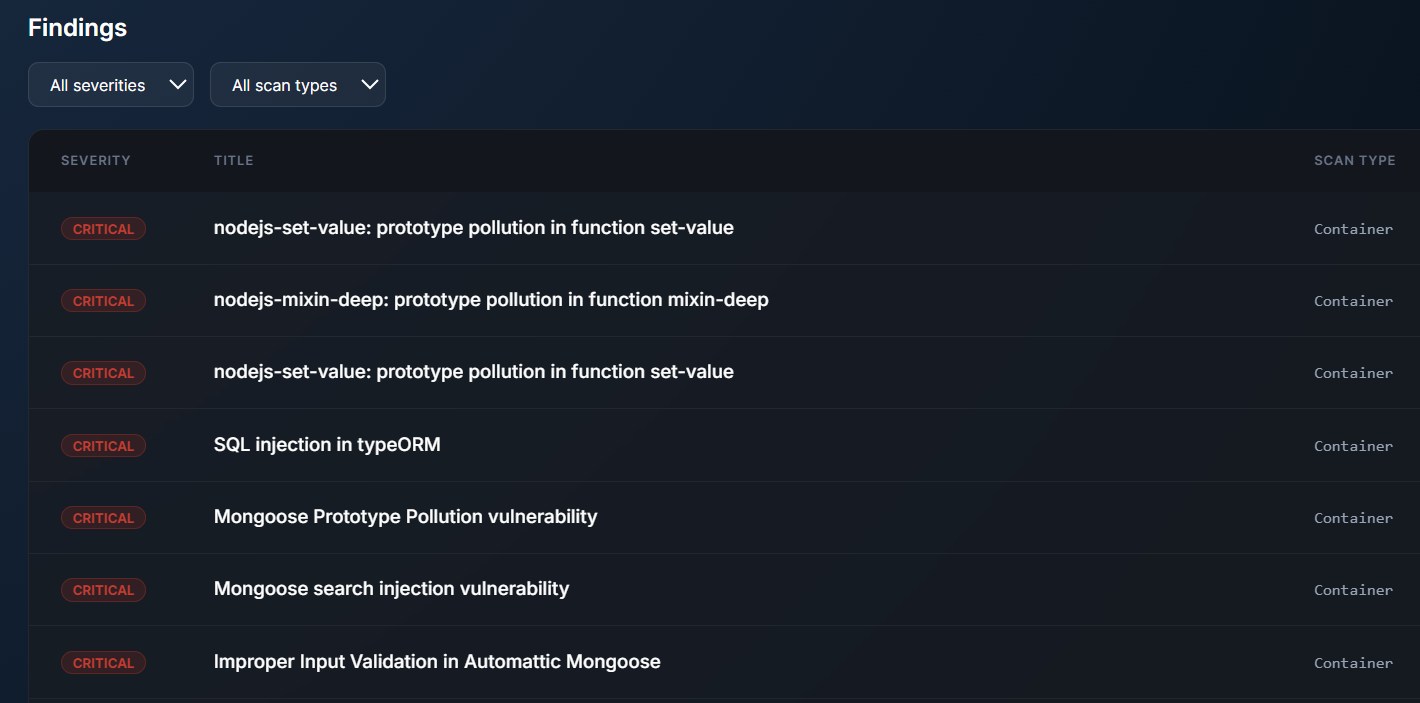
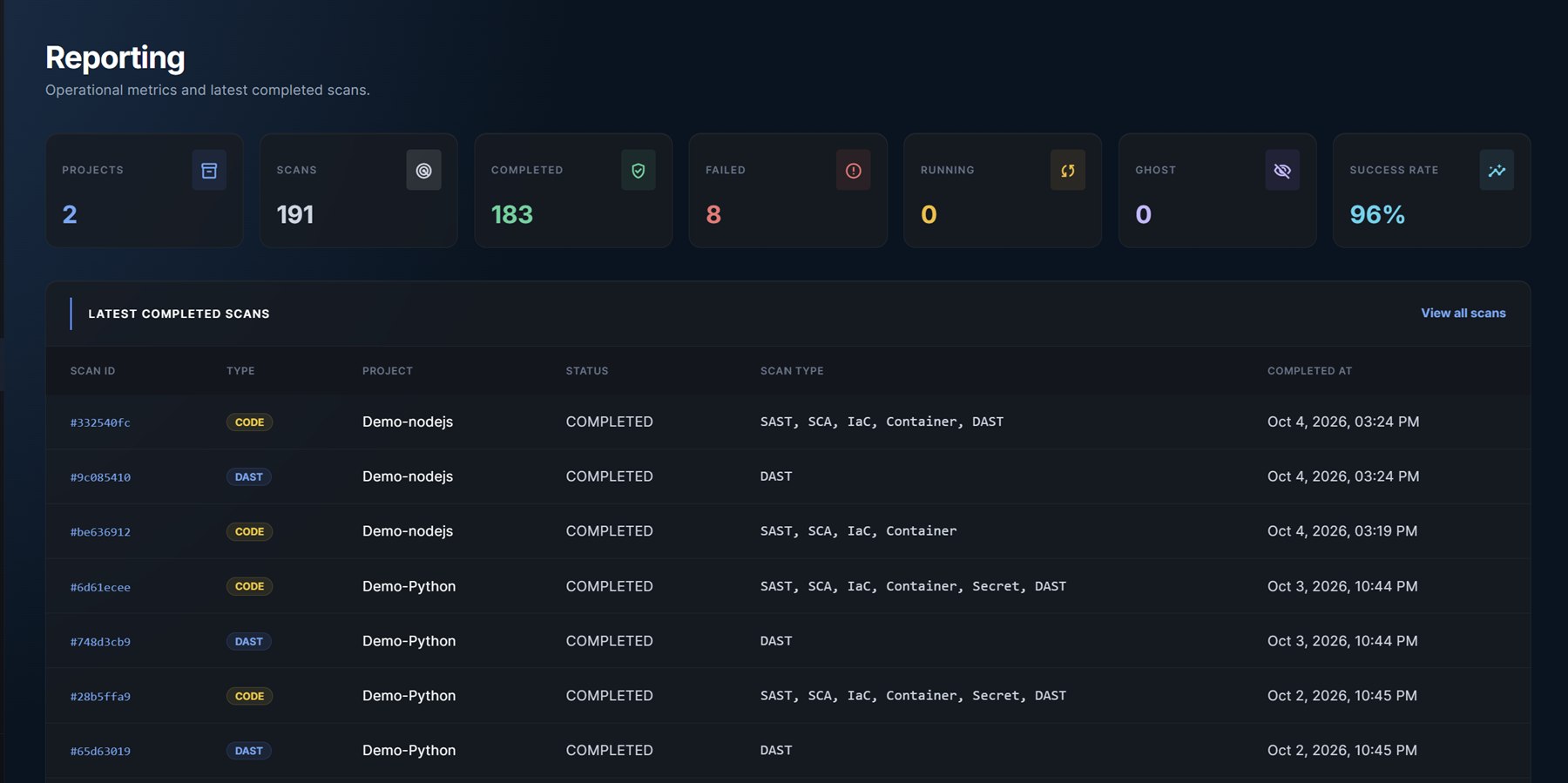
Start with the code
you already ship.
One connected workflow
The source code, the packages it depends on, the configuration around it and the application your users reach.
Find insecure code patterns, injection risks and unsafe handling of data before they reach production.
02 / DEPENDENCIESIdentify known vulnerabilities in supported dependencies, with affected packages and available fixed versions.
03 / CONFIGURATIONCatch risky configuration in Terraform, Kubernetes, Dockerfiles and CloudFormation before deployment.
04 / LIVE APPLICATIONSTest your running web application through its URL for exposed weaknesses and insecure HTTP behaviour.
05 / CREDENTIALSLocate exposed API keys, access tokens and credentials in repository files so you can revoke and replace them.
06 / VISIBILITYUnderstand what goes into your application with a software bill of materials listing identified components and versions.
SAST coverage depends on the language and enabled rules. Dependency analysis uses supported manifests and lockfiles, including npm, pip, Maven, Go modules, NuGet, Composer and Bundler. DAST tests HTTP(S), regardless of your backend language.
Explore coverageFrom finding to next action
Bring your repository and your application URL. Keep the results, context and next steps together in CYBERVOC.
Link a GitHub or GitLab repository. Add your web app URL and schedule recurring source-code and DAST scans.
Repository + application URLReview results directly in CYBERVOC. Filter by severity and inspect affected files, packages or endpoints.
Context, severity, next stepsDownload a PDF with vulnerability details and available remediation guidance. Share it with your team or an external AI coding agent.
Findings to a portable PDFYour agent, your workflow. Use the report as context for proposed fixes. Review changes and run a new scan to check the result. CYBERVOC does not automatically modify your code.
Simple, developer-sized pricing
Try CYBERVOC on your own project. Keep scanning as your code and dependencies change.
What happens after sign-upFree scan
€0
One complete scan
Developer Daily scanning
€9.99
Excl. VAT / 30 days
From the CYBERVOC blog
Loading the latest articles...
You get one complete scan to try the workflow, with results covering critical vulnerabilities. The Developer plan provides one complete scan per day for 30 days at €9.99 excluding VAT.
Connect a GitHub or GitLab repository using its URL. For a private repository, provide an access token with the required read permissions. See the documentation for setup.
Yes. Configure recurring scans for your project and add an application URL for scheduled DAST testing. Scans remain subject to your plan allowance.
Share vulnerability details and available remediation guidance with your team or an external AI coding agent. Check any proposed fix before merging, then scan again. Remediation details depend on the finding.
Only scan applications you own or are explicitly authorized to test. Active testing can affect an application; use a suitable test environment and confirm the scope first.
Your next commit deserves a closer look.
One free scan. Then €9.99 excl. VAT for 30 days of daily scanning.