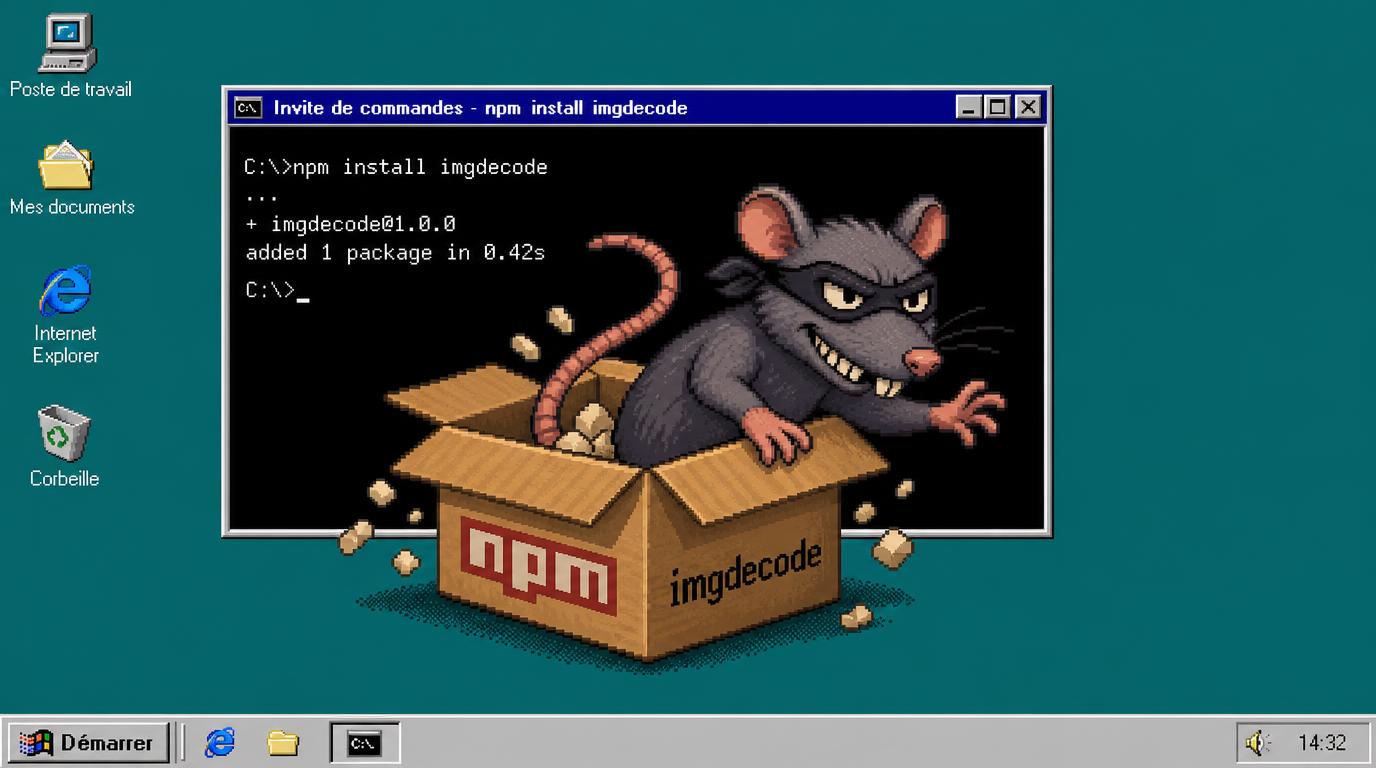
MALFEX and imgdecode: Windows Native Addon Abuse and the RAT Connection
Reporting cutoff: October 17, 2026. This article draws on published research and official documentation; it does not report independent malware execution or victim forensics.
A small JavaScript entry point can conceal a much larger security problem. In its October 13 analysis, SafeDep described imgdecode, a malicious npm package whose Windows-native component contains a downloader and shellcode execution routine. The Hacker News covered the discovery on October 17, placing it within the broader MALFEX supply-chain campaign. [1, 3]
Two distinctions matter immediately. MALFEX is the campaign name; imgdecode is the package examined in the latest report. And the "Windows add-on" is a compiled Node.js native addon, not a Microsoft optional feature, a browser extension, or a Windows update.
The RAT connection also requires precision. MALFEX includes a documented Overlord RAT branch and a separate stealer chain. SafeDep recovered a related payload with evidence of remote-access capabilities, but did not recover the file requested by the imgdecode native loader. A direct, completed delivery chain from that addon to the recovered RAT therefore remains unconfirmed. That limitation does not make the addon benign. [1, 2]
What Was Discovered
SafeDep identifies imgdecode versions 1.0.0 through 1.0.3, published under the npm account malfexteste8. The first release appeared on September 30; version 1.0.3 followed on October 11. Its advertised image-processing purpose is contradicted by the behavior of its native component. [1]
The October 17 news report recorded 979 downloads and stated that the package was still available at publication. Those are historical observations, not a live registry check or a count of infected computers. SafeDep's earlier measurement recorded 929 downloads between September 30 and October 12. Different measurement windows explain why these figures should not be presented as competing infection estimates. [1, 3]
SafeDep found no public projects declaring the investigated packages as dependencies in its searches, and no dependent packages in the cited deps.dev results. Private repositories, internal tooling and direct local use remain outside that visibility. The number of affected workstations is unknown.
For defenders, the relevant question is not whether the package was popular. It is whether an organization retrieved it, where those copies went, and whether any workflow loaded its code.
What the Windows Native Addon Actually Is
Node.js supports native addons: compiled libraries that JavaScript can load as modules. Their filenames normally end in .node, but on Windows the underlying file can be a DLL. Legitimate packages use this mechanism for performance-sensitive processing and integration with native libraries. Node.js documents it as a standard capability, not a vulnerability. [4]
In this case, the important component is prebuilds/win32-x64/imgdecode.node, a 64-bit Windows DLL built with Microsoft Visual C++ and using the Node-API ecosystem. The compiler and interface do not imply Microsoft authorship or approval. The binary is distributed inside the npm package. [1]
In version 1.0.3, the JavaScript wrapper attempts to load this prebuilt addon, with a fallback path under build/Release. The loader functionality resides in native module initialization: it can run before the application receives the module's exports. A developer does not have to invoke a useful image-decoding function to reach that initialization path. [1]
This is why reviewing only the short JavaScript file is inadequate. The security-relevant behavior sits across the JavaScript-to-native boundary. Conversely, the mere presence of a .node file is not evidence of malware: the binary's origin, purpose and behavior must be assessed together.
The Windows connection is therefore architectural. The analyzed addon targets Windows x64 and uses Windows networking, cryptographic and process facilities. The report does not establish an equivalent Linux or macOS payload for this addon, nor a Windows vulnerability that an operating-system patch alone would fix.
The Trigger Is Module Loading, Not Just Installation
For the later releases, SafeDep describes the malicious routine being reached when a Node.js program loads imgdecode. Starting with version 1.0.1, the addon contains the download, decryption and execution logic. Version 1.0.0 used a different arrangement, passing previously prepared bytes into the addon. Versions should not be treated as internally identical. [1]
The analyzed routine first checks whether standard output is attached to a Windows console. If that check fails, it returns without running the loader. Output redirected into a file or pipe can therefore suppress this behavior. SafeDep interprets the condition as favoring execution in a developer's terminal. [1]
This explains a possible detection gap: a noninteractive analysis job may see nothing that later appears on a workstation. It does not establish that every CI environment is safe. Console attachment depends on the actual execution environment, and other MALFEX branches use different triggers. Deliberately loading a suspicious package to test this distinction is not an appropriate workstation check.
There is also an installation caveat. SafeDep found an install: node-gyp rebuild entry in saved registry metadata, while the archived package manifest omitted it and the archive lacked binding.gyp. The researchers did not confirm npm's handling of that mismatch. The defensible conclusion is narrower than saying installation can never execute anything: the malicious native loader does not need an install script or a local compilation step. [1]
npm's ignore-scripts setting suppresses package scripts within its documented scope; it does not make subsequently loaded dependencies trustworthy. Explicit script-running commands still run their intended script, and application code can load a prebuilt addon afterward. Lifecycle-script restrictions remain useful, but they are not a complete mitigation for this execution path. [5]
How the Loader Operates
SafeDep's binary analysis describes a routine that requests an encrypted response from an attacker-controlled GitHub repository, under an image-like filename, banner.jpg. The loader keeps the response in memory, decrypts it and attempts to execute the resulting bytes through a newly created dllhost.exe process. A fallback attempts execution inside the Node.js process if the injection routine reports failure. [1]
The filename is camouflage, not proof of ordinary image processing. SafeDep distinguishes this native-loader response format from an earlier banner.png carrier that contained data appended after a real image. Calling both files "pictures containing the same RAT" would erase differences that matter to the analysis.
Likewise, dllhost.exe is a legitimate Windows executable. Its name alone is not malicious, and deleting the system binary is not a remedy. The suspicious behavior is a Node.js process loading the identified addon and arranging execution of downloaded bytes in an unusual process context.
At the time of SafeDep's investigation, the GitHub account was inaccessible and requests for banner.jpg returned HTTP 404. The researchers therefore did not recover that native loader's next stage. The analyzed code establishes malicious loader behavior; it does not establish that every invocation obtained a working payload or compromised a host. [1]
Where the RAT Connection Is Strong, and Where It Is Not
The campaign contains multiple delivery paths that should remain separate in incident reporting.
The Overlord branch: Checkmarx identified tlxbnhd, tldriver and mxdriver as independent loaders using installation lifecycle scripts. Their recovered chain leads to Overlord RAT. Checkmarx also explicitly distinguished code-derived injection behavior from runtime observation, and reported no C2 traffic from the analyzed Overlord build during its testing. These findings cannot simply be transferred to imgdecode. [2]
The original stealer branch: native-runner pulled in img-to-native, which in turn loaded cdn-img-fetch. Those packages divided execution into fetching, decrypting and launching a payload. The recovered chain included a Go downloader and movinlike, a Node.js application packaged as a Windows executable. This branch activated through package loading rather than installation hooks. [2]
The later native-addon investigation: SafeDep recovered an archived copy of the sibling banner.png carrier and extracted a Go downloader whose hash matched Checkmarx's indicator list. On October 13, the related download server still supplied a different movinlike build, approximately 71.5 MB in size. This provides concrete continuity with the earlier stealer chain. It does not supply the missing banner.jpg requested by the addon. [1]
The later application contained embedded configuration and strings consistent with both information theft and remote access. Because its application code was stored as V8 bytecode, SafeDep inferred capabilities from string tables and embedded scripts; it did not reconstruct the full control flow or confirm successful execution of those capabilities. [1]
The reported evidence points to collection of browser data, Discord information, wallet and gaming-application data, and sensitive files such as .env, .pem, .ppk and .kdbx. Remote-control functionality suggested by the sample includes shell commands, file transfer, screenshots, clipboard access and input control. Persistence-related artifacts imitate Microsoft Edge updating components.
These are meaningful response leads, but not proof that a specific victim lost every category of data. Nor does the presence of credential-recovery code establish that it bypassed every browser protection or had the privileges it required.
The accurate summary is: MALFEX has RAT-delivery activity; imgdecode is a malicious native loader linked to that campaign; its exact next-stage payload remains unresolved in SafeDep's report.
Replacement Packages Complicate Containment
The timeline shows why registry removal alone is insufficient. According to SafeDep, npm removed native-runner and img-to-native on September 28. Replacements, runhelper and imgbundle, appeared on September 30. runhelper was unpublished that day; imgdecode appeared later the same day. [1]
The implementation subsequently became more self-contained. Versions 1.0.1 and 1.0.2 still loaded imgbundle before the native component. Version 1.0.3 removed that dependency and reused the DLL from 1.0.2. Blocking an earlier companion package would therefore not necessarily stop the newer loader. [1]
The practical lesson is to investigate related package identities and retained artifacts, not just the first name mentioned in an advisory. A takedown does not remove a tarball from an internal proxy, an existing dependency directory or a cached build image. A higher version number is also not evidence of a trustworthy replacement.
How to Assess Exposure Safely
Start with inventory and retained evidence, not execution. Search package manifests, resolved dependency graphs, lockfiles, internal registry records, caches and relevant repository history. Include developer workstations and disposable Windows environments that may have handled the dependency. A package absent from today's checkout can still have run in yesterday's build.
Prioritize imgdecode versions 1.0.0 through 1.0.3, then investigate imgbundle, runhelper, cdn-img-fetch, img-to-native and native-runner. A broader MALFEX review should also cover tlxbnhd, tldriver, mxdriver, function-flag and function-color, using the sources' version-specific findings rather than assuming every historical release is equivalent. [1, 2]
Separate three findings in the incident record:
- Package presence: a manifest, lockfile or cached artifact shows potential exposure, but not execution.
- Module execution: evidence that the package loaded on Windows raises urgency, especially when the console condition may have been met.
- Follow-on activity: process injection, suspicious outbound traffic, persistence or unauthorized account activity supports a deeper compromise investigation.
For hunting, correlate the package evidence with node.exe creating dllhost.exe, particularly without the usual /Processid: argument, and with unusual network activity around the same time. These are investigative signals, not universal standalone verdicts. Legitimate Node.js programs contact GitHub, and legitimate software uses native addons. [1]
Useful published indicators include the following. Network addresses are defanged and should not be opened to test availability.
| Indicator | Investigative context |
| prebuilds/win32-x64/imgdecode.node | Native component inside the affected package |
| raw.githubusercontent[.]com/cavecrew/proj/main/banner.jpg | Native loader's configured download location |
| 104.234.65[.]75:700 | Related payload distribution infrastructure |
| 104.234.65[.]75:7007 | Recovered stealer/RAT configuration |
| %APPDATA%\Microsoft\EdgeUpdate\MicrosoftEdgeUpdate.exe | Persistence path indicated by the related sample|
| MicrosoftEdgeUpdateService | Reported Run-key value and scheduled-task name |
Use the original reports for full hashes and the distinction between addon, downloader and final-payload samples. Validate task actions, paths and provenance before removing anything that resembles a legitimate updater. Prefer precise destination controls over indiscriminately blocking shared GitHub infrastructure. Infrastructure status and ownership can change; historical matches require timestamps and context. [1, 2]
Respond Beyond Removing the Dependency
If a Windows workstation loaded an affected package, treat it as potentially compromised while determining what actually executed. Removing node_modules is not sufficient to reverse a payload that already ran.
- Contain the host. Use established endpoint-isolation procedures and pause affected workflows. Do not troubleshoot by importing the package again.
- Preserve evidence. Retain relevant package copies, logs and endpoint telemetry. Qualified responders should consider volatile-memory collection before a reboot because the loader works in memory. Preserve necessary evidence before clearing caches or removing artifacts.
- Investigate persistence and access. Correlate suspicious tasks, startup entries, process activity and identity events. Check the relevant campaign branch rather than assuming all branches leave identical artifacts.
- Recover credentials from a clean system. Revoke exposed sessions and tokens, then rotate affected npm, GitHub, cloud and SSH credentials and other secrets used or stored on the workstation. Changing a password alone may not terminate an existing session. Replacing secrets on a still-compromised host risks exposing their replacements.
- Restore a trusted environment. Where execution is confirmed or system integrity cannot be established, rebuild from a trusted baseline. Review repository changes and release activity performed with potentially exposed credentials before resuming publishing or deployment.
- Remove retained distribution paths. After evidence preservation, remove malicious dependencies and affected cached artifacts, repair lockfiles and rebuild from reviewed inputs. Apply registry controls that include the replacement packages.
SafeDep found evidence suggesting local log-tampering capabilities in the related sample. Compare local logs with externally retained endpoint, proxy and identity records rather than treating missing local events as proof of safety. If wallet seed phrases were accessible, handle replacement wallets and any asset migration from a clean environment as part of the incident response. [1]
The Broader Lesson
This case is not evidence that native addons are inherently unsafe or that Windows itself distributed a malicious extension. It shows an attacker using a legitimate Node.js integration mechanism to move important behavior out of the JavaScript that reviewers may inspect first.
Effective controls must cover both installation and later execution: reviewed dependency sources, attention to shipped native binaries, constrained developer privileges, limited exposure of long-lived secrets and correlated endpoint monitoring. A clean automated run or an empty advisory result is not a guarantee that an unfamiliar package is trustworthy.
For MALFEX, the immediate priorities are concrete: identify affected package versions, establish whether they loaded, contain suspicious Windows systems and recover exposed access. Keep the evidence boundary equally concrete: campaign association is well supported, while the native addon's exact final payload remains unconfirmed.
Sources
- SafeDep: MALFEX Moves Its npm Loader into a Native Windows DLL - October 13, 2026. Primary analysis of the addon, replacement-package timeline, related payload and investigative limitations.
- Checkmarx Zero: MALFEX npm Malware Campaign: Three Payloads And An Adversary That Signs Their Work - October 5, 2026. Original campaign branches, package scope, evidence and response guidance.
- The Hacker News: MALFEX npm Package 'imgdecode' Hides Shellcode Loader in Windows Native Addon - October 17, 2026. Reporting on the latest discovery and package-download snapshot.
- Node.js Documentation: C++ Addons - Official explanation of native addons and their loading behavior.
- npm Documentation: ignore-scripts Configuration - Official scope and limitations of script suppression.